Download
Install it once, and from then on the game downloads and applies new versions by itself.
Windows PC
Windows PC
Checking version
Download zipChecking
How to check
To check that the zip you downloaded is intact, run the command below in PowerShell and compare the result with the SHA-256 value above.
Get-FileHash .\Bangchi-version.zip -Algorithm SHA256
Get it on your phone
Point your phone camera at it to open the Android tab of this page. iOS is in preparation.
trpgnovel.com/download/en/#android
How to install
- Extract the whole zip file into any folder.
- Run
Bangchi\Bangchi.exe. - If a SmartScreen warning appears, press More info and then Run anyway. It appears only the first time, because this is an independently made game without a code signature.
- The game window opens at the bottom right of the screen with the Start card. Press New game to start fresh, or Load account to continue your progress from another device.
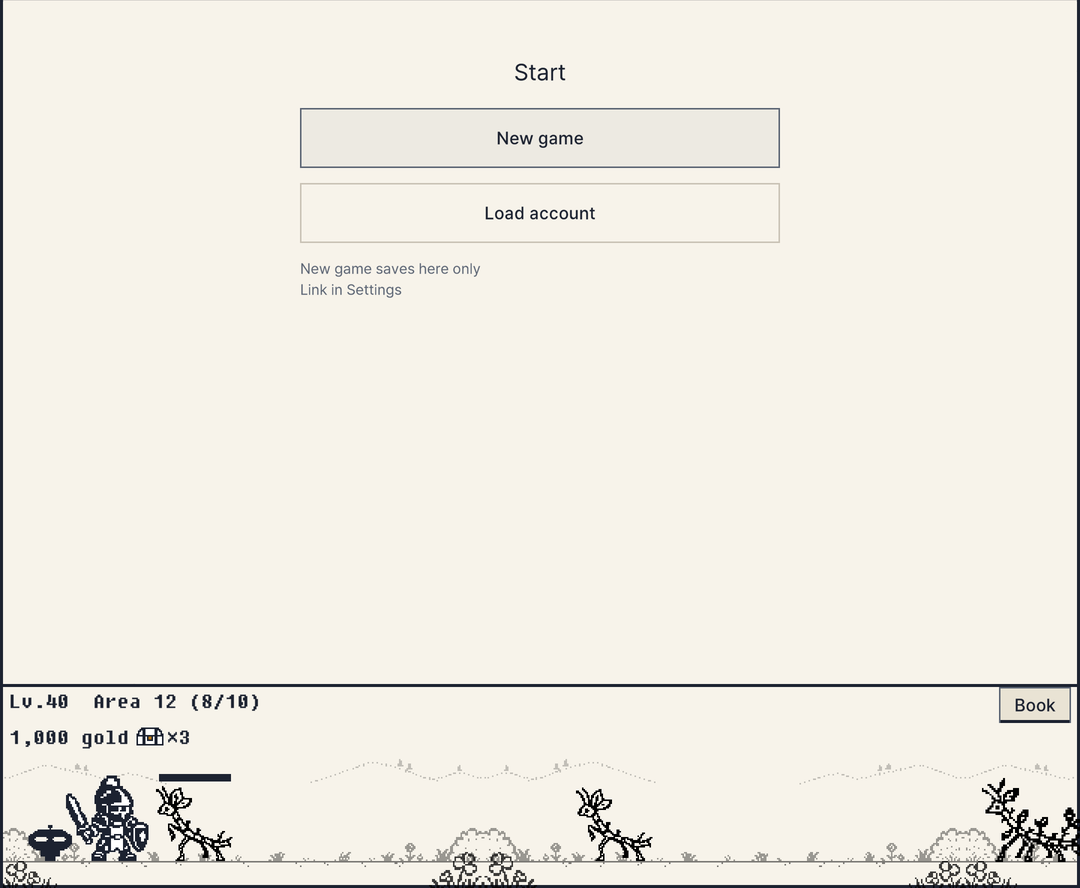
Requires Windows 10 or later, 64-bit. Your save is kept in %USERPROFILE%\AppData\LocalLow\Bangchi\Bangchi\save.json, so it stays when you delete the game folder or overwrite it with a new version.
If something goes wrong
The answers are in Korean.
Android
Android
Checking version
Download APKAndroid 7.1 or later, 64-bit (ARM64). This file does not come from a store, so installing it asks you to allow unknown apps.
Get it on your phone
If you are on a PC, point your phone camera at this QR code. Download the APK on the phone to install it right away.
trpgnovel.com/download/en/#android
How to install
The Android version is distributed as an APK file, not through a store. You attack by rubbing the attack area at the bottom of the screen.
- On your phone, press Download APK and open the downloaded file.
- When you are asked to allow "Install unknown apps", allow it for the browser you are using, then install.
- On first launch the Start card appears. Press New game to start fresh, or Load account to continue your progress from a PC.
- When a new version comes out, the game downloads the APK and opens the install screen. Your save stays when you install it. You can also download the APK from this page and install it over the old one.
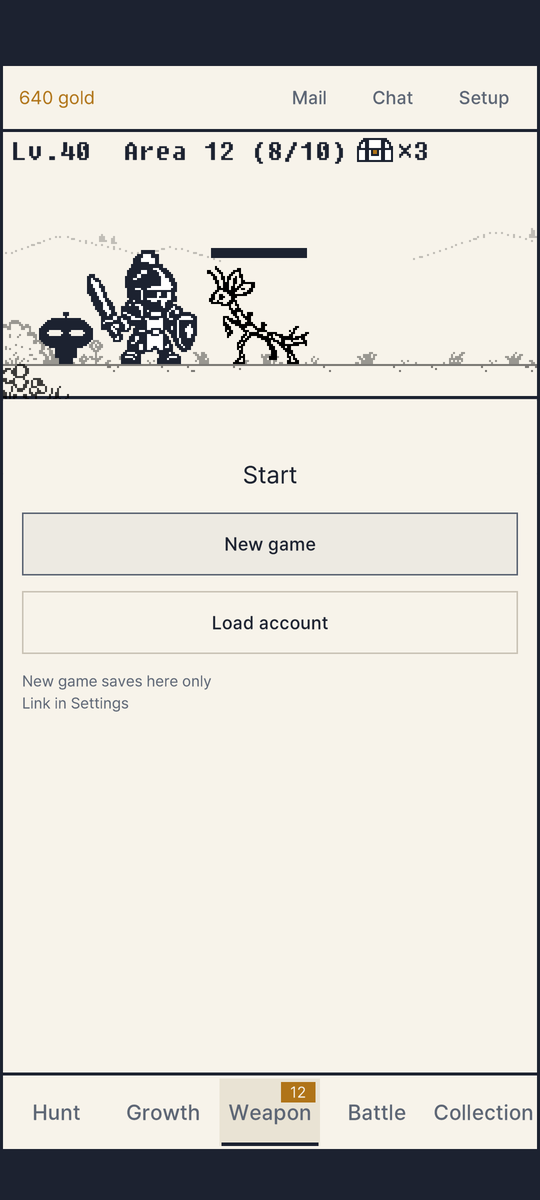
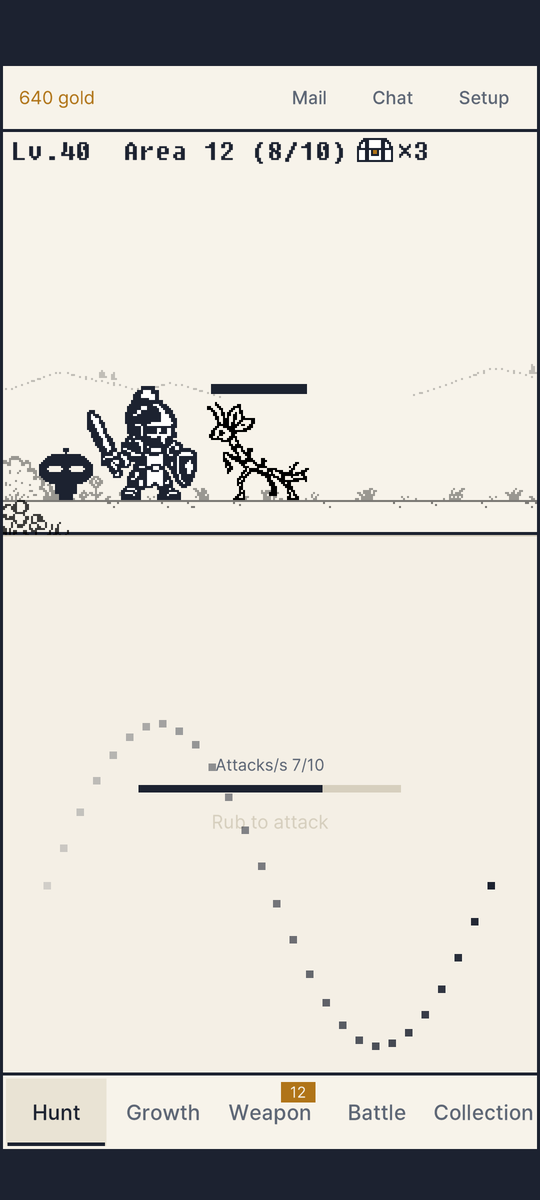
Runs on Android 7.1 or later, 64-bit (ARM64). Use Load account with the ID you linked on a PC to continue with the same save.
If something goes wrong
The answers are in Korean.
iOS
iOS coming soon
In preparation. When it is on the App Store, we will announce it on this page and in the news (Korean). Until then you can continue on Windows and Android with a linked ID.
Update history
All news (Korean)Older versions cannot be downloaded. The game updates itself to the latest version when started.